Skip to content

Games worth nerding out over.

Nerdova Studios is a one-person game studio, making its first game, Side Effects May Vary, and the maker of Weave UI, a UI toolkit for Unity.

See what's in the works
Projects.

The studio's games and tools, released and in progress. Open one for the full overview.

  • In development· Playable prototype

    Side Effects May Vary

    A first-person potion shop game: brew remedies by hand, then find out what they do to your customers.

    In development· Playable prototype

    Side Effects May Vary

    A first-person potion shop game: brew remedies by hand, then find out what they do to your customers.

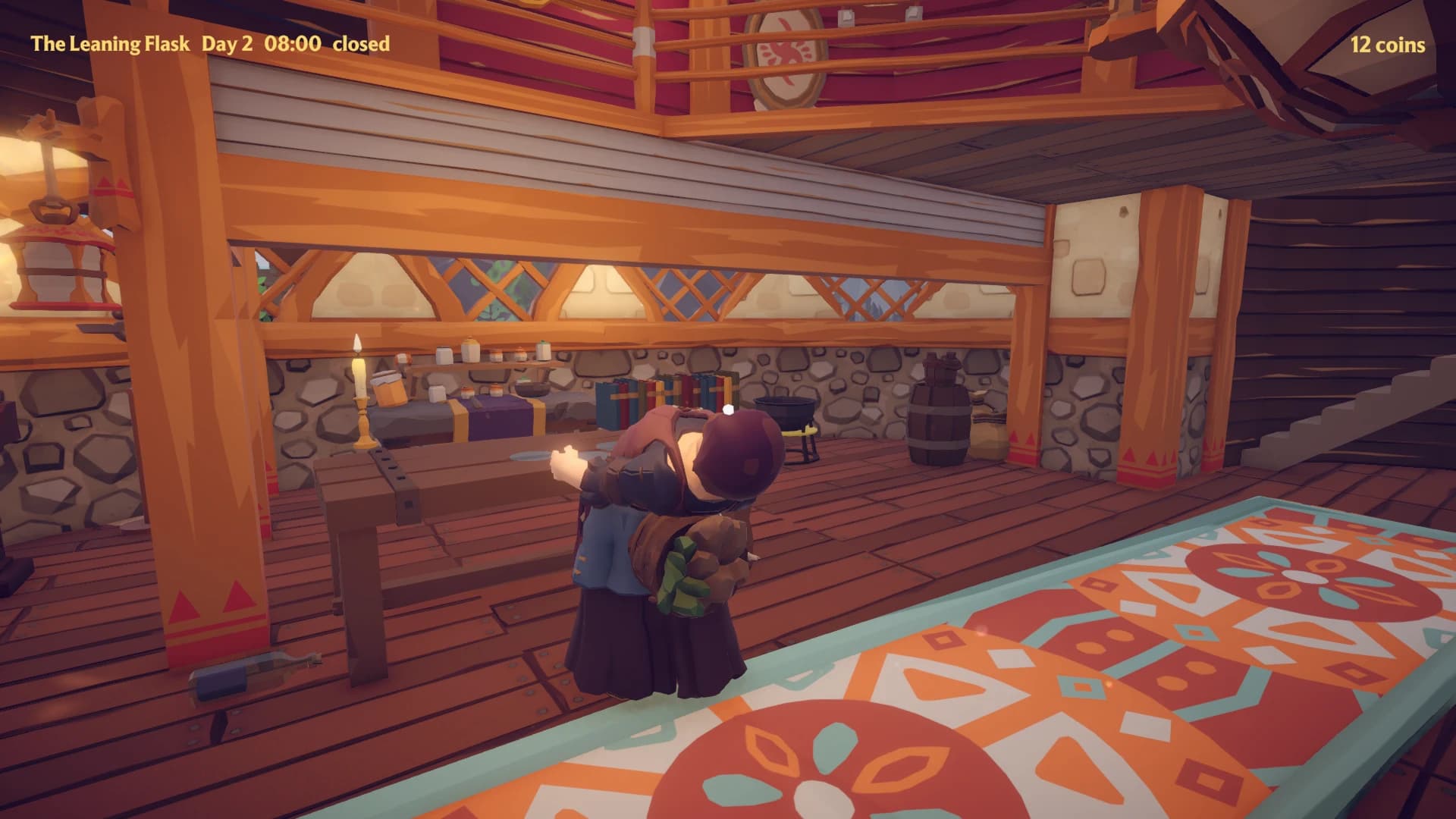
    Inside a potion shop called The Leaning Flask: timber beams, a stone wall lined with jars and books, a workbench, a cauldron and a patterned rug, with a character standing by the bench.
    Prototype screenshot.

    Take as directed. Or as brewed.

    Possible side effects include:

    • A gentle glow
    • Hiccups
    • Excessive posture correction
    • A mild tendency to float

    Consult your local alchemist if symptoms persist.

    • Brew it by hand

      Pick up, grind, pour and stir every ingredient yourself. It's physical, but forgiving: no steady hands required.

    • Customers react

      Locals come in with a problem. Serve them a remedy and see what it does to them, right there at the counter.

    • Mistakes are the fun part

      Get a recipe wrong and the results are funny, never fatal.

    First person · Made in Unity

    The core loop, brewing remedies and serving them to customers, is playable in an early prototype. No release date yet.

    A wooden shelf of glass jars holding ingredients, with small mortars and pestles, against a red plank wall with a framed rabbit emblem.
    Prototype screenshot.
    A notice that three Emberroot have been delivered by Greenmarket Supply, beside a ledger of yesterday's accounts with a closing balance of 12 coins.
    Prototype screenshot.
  • Out now· On the Unity Asset Store

    Weave UI

    A Unity package for game UI: lay out screens with Tailwind-style utility classes, bind them to your game's data, and restyle the lot with a palette or your own art.
    Out now· On the Unity Asset Store

    Weave UI

    A Unity package for game UI: lay out screens with Tailwind-style utility classes, bind them to your game's data, and restyle the lot with a palette or your own art.

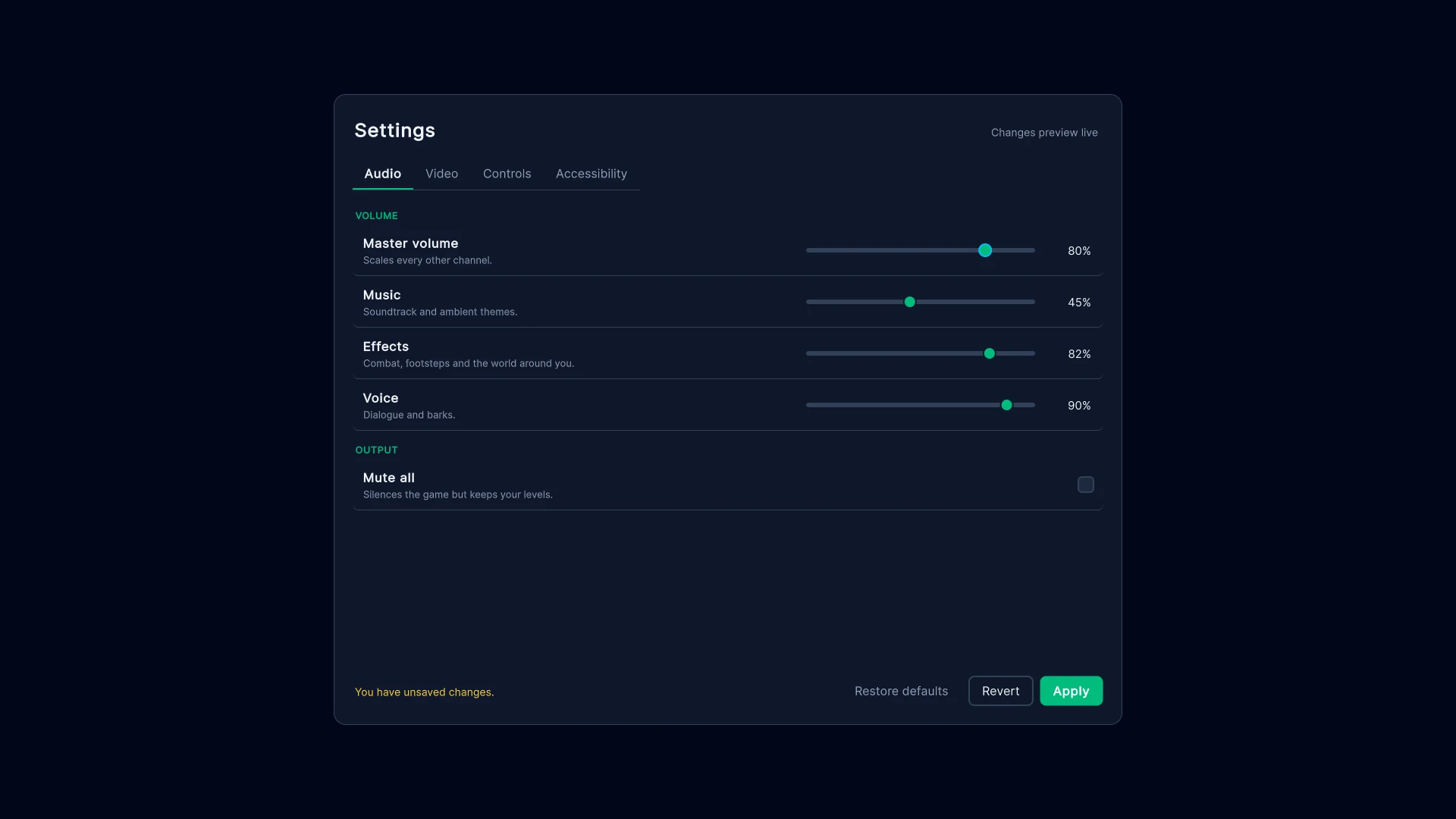
    A settings menu with Audio, Video, Controls and Accessibility tabs. The Audio tab has sliders for master, music, effects and voice volume and a Mute all checkbox, with Restore defaults, Revert and Apply buttons and a note that there are unsaved changes.
    The Settings menu sample: every control is bound to the settings, and Apply and Revert only light up once something has changed.

    UXML

    <ui:VisualElement
      class="flex-row items-center gap-3 p-4 bg-slate-900 hover:bg-slate-800">
      <weave:Slider low-value="0" high-value="100">
        <Bindings>
          <ui:DataBinding
            property="value"
            data-source-path="Master"
            binding-mode="TwoWay" />
        </Bindings>
      </weave:Slider>
    </ui:VisualElement>
    A row laid out and styled with utility classes, holding a slider bound both ways to the master volume.
    • Tailwind, in Unity

      Style UI Toolkit screens with the class names web developers already know, hover, focus and dark variants included. An optional pipeline runs your own Tailwind CLI and updates running screens as you save.

    • One screen, many looks

      The controls take their colours from a palette, so one file restyles every one of them. Skins go further, swapping in your own nine-sliced art for each control and state, without touching the markup.

    • Made for game screens

      Screens bound to view models, with transitions and modal dialogs, and an inventory grid with drag and drop, items that take up several slots, and keyboard and gamepad navigation.

    Unity package · Unity 6.3 or newer · Built on UI Toolkit

    Out now on the Unity Asset Store. The documentation and the four sample screens are on GitHub.

    A shop called Mirela's Curiosities: a grid of nine items for sale with their prices, the selected Ashen Blade shown large with a Buy for 240 gold button, and the player's bag, where items take up several slots.
    The Shop and inventory sample: drag items into the bag to buy them, where they keep their shape. Item icons by Lorc and Delapouite from game-icons.net, CC BY 3.0.
    A game HUD over a forest backdrop: health, mana and experience bars, a compass, a minimap, a quest list, a combat log, a hotbar of eight slots and two notifications.
    The Game HUD sample, over a backdrop by Kenney. Item icons by Lorc and Delapouite from game-icons.net, CC BY 3.0.
    A character sheet for Ada Thornfield in the dark theme, with attribute bars, derived stats, resistances and preferences.
    The Builder and themes sample: a character sheet written only in C#, in the dark theme.
    The same character sheet with a wood-and-parchment skin on its frame, buttons and fields.
    The same sheet, with no change to its code, wearing a skin made from Kenney's free UI art.